8000Hz Polling Rates: Cutting-Edge Upgrade or Expensive Bragging Rights?
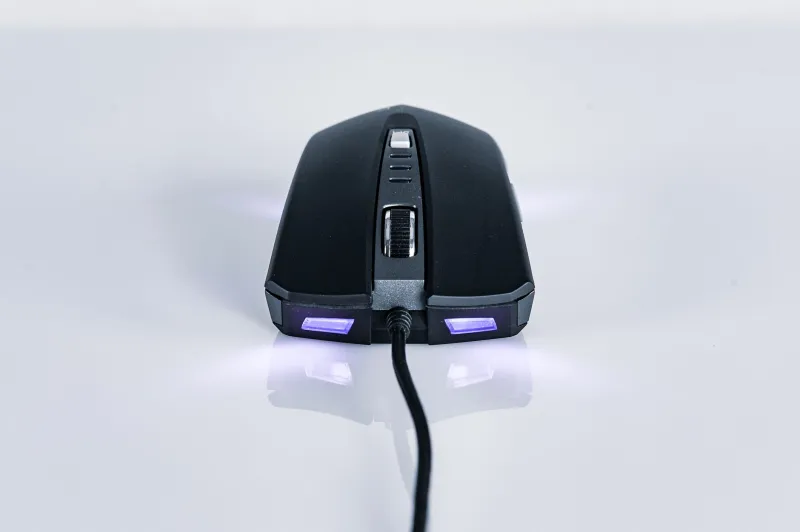
There's a familiar pattern in gaming hardware marketing. A new spec gets introduced, the numbers go up, and suddenly anything less feels obsolete. We saw it with DPI — everyone chased 20,000+ DPI before realizing most people play at 400–1600. Now polling rate is getting the same treatment, with 8000Hz mice flooding the market and reviewers tripping over themselves to declare it a revolution.
So let's slow down for a second and actually ask the question: does 8000Hz polling rate make you better at anything, or is this just spec racing dressed up as innovation?
What Polling Rate Actually Does
Before we get into the debate, a quick refresher. Polling rate is how often your mouse reports its position to your computer — measured in times per second, or Hz. At 125Hz, your mouse checks in 125 times per second. At 1000Hz (the longtime standard for gaming mice), it's reporting every single millisecond. At 8000Hz, that drops to once every 0.125 milliseconds.
In theory, more frequent updates mean your cursor position is more accurately reflected on screen in real time. Less latency between your physical movement and what you see. Sounds great, right?
The catch is that the benefit only exists if everything else in your system can keep up — and increasingly, that's where the story gets complicated.
The Diminishing Returns Problem
Here's the thing about going from 125Hz to 1000Hz: that's a massive, genuinely noticeable jump. You're compressing your update interval from 8ms down to 1ms. In fast-paced games like Valorant, CS2, or Apex Legends, that difference is real and measurable. Most serious gamers made that upgrade years ago, and it was worth every penny.
Going from 1000Hz to 4000Hz or 8000Hz? You're shaving fractions of a millisecond off an already tiny number. We're talking about the difference between 1ms and 0.125ms. Your monitor's refresh rate, your game's frame pacing, your CPU's ability to process input — all of these factors introduce their own latency that likely dwarfs what you're gaining from a higher polling rate.
Some independent testing has shown that at 8000Hz, certain systems actually experience increased CPU load with no measurable improvement in felt responsiveness. That's not a knock on the technology itself — it's a reminder that hardware doesn't exist in a vacuum.
When 8000Hz Actually Makes a Difference
Okay, so it's not all marketing fluff. There are real scenarios where an elevated polling rate earns its keep.
High-refresh-rate competitive gaming is the strongest use case. If you're running a 360Hz monitor and playing at consistently high frame rates in a title with tight input windows, the math starts to work in 8000Hz's favor. When your system is already operating at the bleeding edge, reducing polling latency is one of the last meaningful levers you can pull. Professional esports players on sponsored setups — with high-end CPUs, tuned game settings, and 360Hz displays — are the actual target audience here, not the average person gaming on a 144Hz panel.
Precision cursor work is another niche where it shows up. Graphic designers and video editors doing detailed frame-by-frame work or intricate path editing have reported that higher polling rates contribute to smoother cursor tracking at slow speeds. If your work involves ultra-precise micro-movements, the reduced jitter can be tangible.
Low-DPI, high-sensitivity players may notice a difference too. When you're moving the mouse slowly and relying on fine motor control, more frequent position updates can reduce the micro-stuttering that sometimes appears at lower DPI settings.
The Hidden Cost Nobody Talks About
Beyond the performance question, there's a practical cost to 8000Hz that often gets glossed over in spec-sheet comparisons: battery life and CPU overhead.
For wireless mice, running at 8000Hz is a significant power draw. Some manufacturers have addressed this with selective polling modes or adaptive rate technology, but it's still a real tradeoff. If you're someone who values not having to charge your mouse every day or two, that matters.
On the CPU side, some users — particularly those on older or mid-range processors — have reported measurable spikes in CPU usage when running 8000Hz mice. In a game where every frame counts, adding unnecessary CPU load is counterproductive. You could theoretically be hurting your performance by chasing a higher polling rate.
So What Should You Actually Buy?
For most gamers — even serious, competitive ones — 1000Hz remains the sweet spot. It's fast enough that polling rate stops being the bottleneck, it's easy on your system, and the mice that support it cover the full range from budget to flagship. You're not leaving anything meaningful on the table.
If you're playing at 240Hz or higher, have a capable system, and you're competing at a level where every marginal edge matters, stepping up to 4000Hz is a reasonable consideration. The jump from 4000Hz to 8000Hz is where you're really in diminishing returns territory — and you'd want to confirm your CPU can handle it without additional overhead.
For professionals using mice for productivity, design, or trading work, polling rate is honestly not the spec to fixate on. Sensor accuracy, ergonomics, and button feel will impact your day far more than whether your mouse is reporting at 1000Hz or 8000Hz.
The Bottom Line
Polling rate matters — up to a point. The leap from 125Hz to 1000Hz was a genuine performance upgrade that changed how gaming mice were built. The leap from 1000Hz to 8000Hz is a much more conditional improvement that benefits a narrow slice of users under specific conditions.
Don't let the spec sheet make the decision for you. Know your setup, know your use case, and spend your money on the things that will actually move the needle. A mouse with a great sensor, solid ergonomics, and 1000Hz polling will outperform an 8000Hz mouse that doesn't fit your hand or strains your system.
Higher isn't always better. Sometimes it's just a bigger number.