Why Day Traders Are Ditching Office Mice for Gaming Hardware

Photo by Photo by Fotis Fotopoulos on Unsplash on Unsplash
If you walked into a serious day trading operation five years ago, you'd have found rows of ergonomic office mice — the kind IT departments order in bulk, the kind that come bundled with a keyboard in a box. Functional. Forgettable. Fine.
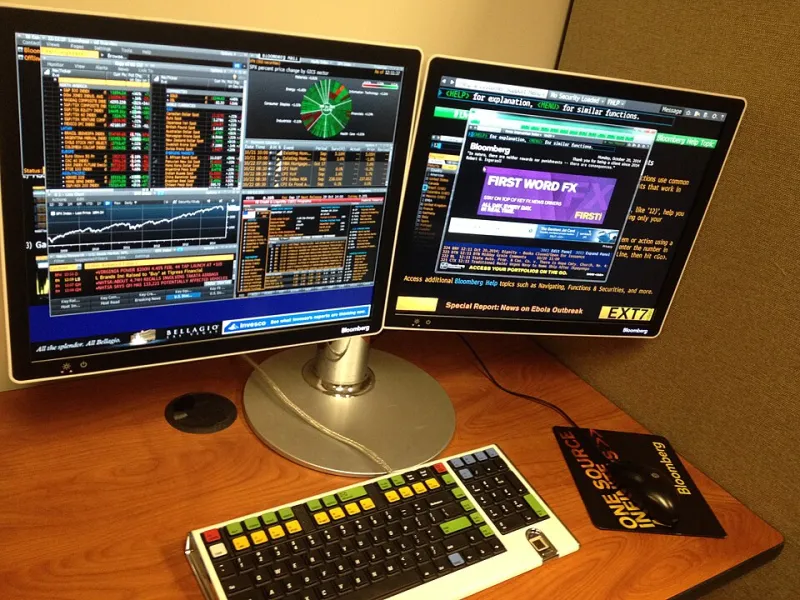
Walk into that same kind of setup today and something's shifted. Tucked beside the dual or triple monitor arrays, you'll increasingly find hardware that looks like it belongs at a LAN party: low-profile gaming mice with aggressive shapes, braided cables or premium wireless receivers, and side buttons mapped to order execution macros. The trading floor has quietly gone gamer.
This isn't a coincidence, and it's not just an aesthetic preference. There are real, measurable reasons why high-frequency and day traders are making this switch — and the logic tracks almost perfectly with why competitive gamers obsess over their input devices.
Speed Is the Shared Language
At first glance, a day trader and a Counter-Strike player seem like they're operating in entirely different universes. One's watching candlestick charts and news feeds. The other's clearing angles in a virtual map. But zoom out and the underlying demand on their equipment is nearly identical: both need to translate a decision into a precise, executed action as fast as humanly possible.
In competitive gaming, that's the difference between landing a shot and dying. In trading, it's the difference between filling an order at your target price and watching the market move against you in the half-second it took your cursor to travel across three monitors.
High-polling-rate mice — the ones gaming brands market to esports players — report cursor position to the system hundreds of times per second. Standard office mice often run at 125 Hz. Gaming mice commonly start at 500 Hz and go up from there. For a trader managing positions across multiple screens and executing rapid entries and exits, that responsiveness gap is real and it compounds across a full trading session.
The Multi-Monitor Problem
Here's something office peripheral designers never really solved: the multi-monitor experience. When you're running three or four screens — which is standard in active trading environments — your cursor is traveling enormous distances constantly. The precision requirements shift dramatically depending on whether you're clicking a small order button on screen four or dragging a stop-loss level on a chart on screen one.
Gaming mice handle this natively. Adjustable DPI settings let traders dial in sensitivity on the fly, switching between high-DPI for cross-screen travel and lower-DPI for precision work on tight interface elements. Many gaming mice include hardware buttons that cycle between DPI presets instantly. That kind of adaptability doesn't exist on most office hardware, where you get one sensitivity setting and you live with it.
Traders at firms that have made the switch report a surprisingly significant reduction in what you might call "cursor frustration" — the low-grade cognitive irritation of constantly over- or under-shooting targets on cluttered trading interfaces. It sounds minor. Over a six-hour trading session, it isn't.
Decision Fatigue Is Real, and Your Mouse Is Contributing to It
There's a body of cognitive science research around decision fatigue — the well-documented phenomenon where the quality of human decisions degrades after extended periods of mental effort. Traders know this intimately. The choices you make in the first hour of a session tend to be sharper than the ones you make in hour five.
What's less discussed is how physical friction in your working environment accelerates that fatigue. Every time your cursor doesn't land where you intended, every time you fumble a click on a small interface target, every time you have to correct and re-execute a cursor movement — your brain is burning a tiny bit of cognitive fuel. It's not dramatic in isolation. Aggregated across hundreds of micro-corrections per hour, it adds up.
Precise, responsive input hardware reduces that friction. Gaming mice, engineered specifically to eliminate the gap between intention and execution, address this directly. Several proprietary trading firms — particularly smaller, tech-forward shops — have started treating peripheral quality as part of their broader effort to optimize trader performance environments, alongside monitor quality, chair ergonomics, and ambient lighting.
The Macro Button Advantage
Here's a feature that office mice almost universally ignore and gaming mice almost universally offer: programmable side buttons.
For gamers, those extra buttons handle things like grenade throws and ability activations. For traders, they become something else entirely. Mapped through software, those buttons can execute platform-specific shortcuts — switching between order types, pulling up a ticker lookup, collapsing or expanding chart timeframes, or triggering a pre-set order template with a single thumb press.
Traders who've built out these macro setups describe it as a meaningful workflow upgrade. Actions that previously required a keyboard shortcut or a menu navigation — costing one to two seconds each — become instant. In a market that moves in real time, that efficiency compounds.
What to Actually Look For
If you're a trader thinking about making the switch, the shopping criteria look a little different than they do for a gamer.
Weight matters — but not in the same way. Gamers often chase ultralight mice for fast flick movements. Traders benefit from something with a bit more heft that feels stable during extended precision work. Aim for the 80-100 gram range rather than the sub-60g category.
Wireless is worth considering seriously. A clean desk with no cable drag is genuinely less distracting, and premium wireless gaming mice have closed the latency gap with wired options almost entirely. For a trading environment, the difference is negligible.
Shape is personal, but ergonomics matter more in an eight-hour session than in a two-hour gaming match. Look for mice with strong palm or claw grip support and explicit ergonomic contouring. You're not doing fast, aggressive wrist movements — you're doing sustained, precise control work.
And yes, get the programmable side buttons. Set them up. Use them. You'll wonder how you managed without them.
The Quiet Revolution at the Desk
The trading world isn't loud about this shift — there's no press release from Goldman Sachs announcing a gaming mouse mandate. But it's happening, desk by desk, as traders who've spent time in gaming culture bring those hardware instincts into their professional setups and realize the overlap is bigger than anyone expected.
The mouse you click with is a performance tool. Treat it like one.