Milliseconds That Cost Real Money: Inside the Input Lag Arms Race Among Traders and Gamers
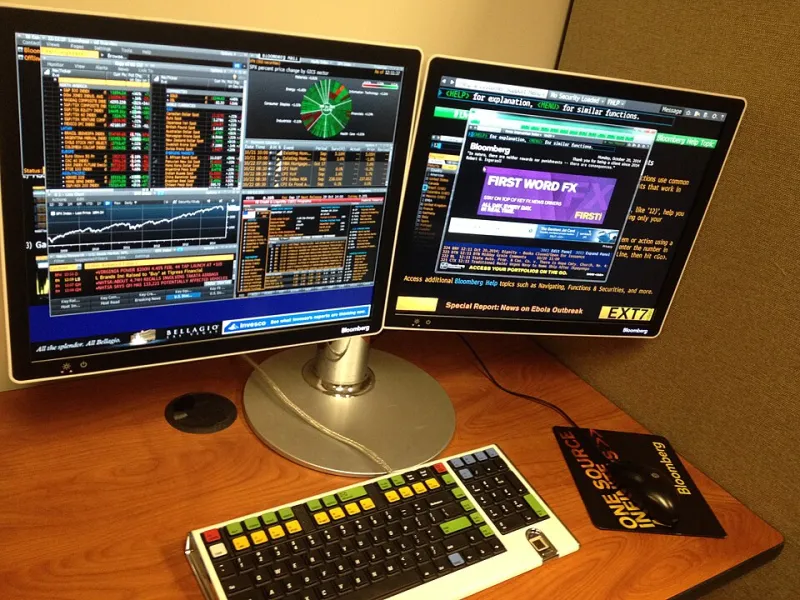
Photo: Gforsythe, CC0, via Wikimedia Commons
Two Worlds, One Problem
On the surface, a professional esports player and a day trader working out of a home office in Chicago don't have much in common. One is optimizing kill-death ratios, the other is watching order books and executing trades in narrow windows. But spend five minutes talking to serious practitioners in either field and a shared obsession surfaces almost immediately: input lag.
The time between a physical action—clicking a mouse button, pressing a key—and the corresponding response on screen is a constraint both communities have spent years trying to minimize. In competitive gaming, the difference between 1ms and 8ms of input latency can be the difference between landing a shot and missing it entirely at high sensitivity. In active trading, particularly momentum and scalping strategies, the gap between intent and execution can be the difference between a profitable fill and slippage that eats your margin.
What's interesting is that these two communities largely developed their solutions independently. Gamers built an entire hardware ecosystem around low-latency peripherals. Traders historically focused on network infrastructure and execution software. Lately, those worlds are converging—and the results are worth paying attention to.
What Input Lag Actually Is (And Where It Comes From)
Input lag isn't a single number. It's the sum of several compounding delays across your entire hardware chain:
Peripheral polling rate — How often your mouse or keyboard reports its position or state to your computer. A 125Hz polling rate means the device checks in every 8ms. A 1000Hz device checks in every 1ms. Some newer mice now poll at 4000Hz or 8000Hz, though the practical benefit above 1000Hz is debated in most real-world conditions.
USB or wireless transmission delay — Wired connections have essentially zero meaningful transmission delay. High-quality wireless implementations from major gaming peripheral brands now come within fractions of a millisecond of wired performance, but budget wireless gear can introduce inconsistent latency spikes that are arguably worse than consistent higher latency.
Click registration latency — The mechanical and electrical delay between pressing a switch and the signal being sent. Optical switches register faster than traditional mechanical switches because they don't require physical contact to complete a circuit. This difference is typically in the 1-3ms range.
System and software processing — Your operating system, drivers, and applications all add to the chain. Running a clean, optimized system with up-to-date drivers matters more than most people realize.
Display latency — For traders and gamers alike, a monitor with high input lag can undermine everything else in the chain. A 1ms peripheral connected to a monitor with 30ms of input lag is still a 30ms+ system.
Why Traders Started Paying Attention
The trading community's interest in peripheral latency isn't about reacting faster than an algorithm—no human can do that. It's about eliminating unnecessary friction in manual execution workflows.
Scalpers and momentum traders who execute dozens or hundreds of trades per day are working with razor-thin margins. Every time a trader clicks to enter or exit a position, there's a chain of events: the click registers, the order management software receives the input, the order is sent to the exchange. Human reaction time is already the dominant variable in that chain, but peripheral latency is a controllable input. Removing controllable friction is just good practice.
Beyond raw speed, there's a consistency argument. A mouse that sometimes introduces a 1ms delay and sometimes introduces a 12ms delay is harder to calibrate mentally than one that's consistently 1ms. Trading is partly about building reliable muscle memory and decision patterns. Inconsistent hardware interrupts that process.
Several active trading forums on Reddit and Discord have threads running hundreds of posts deep on peripheral setups, with users referencing the same gaming-focused review sites and hardware testing databases that competitive gamers use. The crossover is real and growing.
Measuring Input Lag: The Tools That Actually Matter
You can't evaluate input lag by reading a spec sheet—most manufacturers don't publish end-to-end latency figures in a standardized way. The testing methodology used by dedicated hardware reviewers involves high-speed cameras (typically 1000fps or higher) and controlled click-to-response measurements that capture the full chain from physical input to pixel change on screen.
A few resources worth knowing:
- RTINGS.com publishes measured input lag for monitors, which is the most overlooked variable in most setups.
- Blur Busters and dedicated peripheral review communities publish polling rate and click latency testing for mice and keyboards.
- MouseTester is a free tool that logs polling rate consistency over time, which reveals whether a mouse's advertised polling rate is stable or variable under real conditions.
For traders specifically, pairing a measured peripheral with a low-latency monitor (look for displays with under 5ms measured input lag, not just the "response time" figure manufacturers advertise) is a meaningful setup upgrade.
How Popular Devices Actually Stack Up
Without getting into exhaustive benchmark tables, here's a practical framework based on what community testing consistently shows:
High-polling wireless mice (Logitech G Pro X Superlight 2, Razer DeathAdder V3 HyperSpeed, Pulsar X2V2 wireless) perform within 1ms of wired equivalents in controlled conditions. For most users, the cable management benefits of wireless outweigh any theoretical latency disadvantage.
Optical switch mice (Razer's optical switches, Wooting's analog keyboards) register clicks measurably faster than traditional mechanical switches and eliminate debounce delay entirely. For traders and gamers who want the lowest possible click latency, this is the most impactful hardware change available.
Budget wireless mice introduce the most problematic variable: inconsistent latency spikes. A $30 wireless mouse might average 4ms but occasionally spike to 20ms+. That inconsistency is more damaging to performance than a steady 4ms would be.
High-end keyboards from gaming-focused brands (Wooting, Razer, SteelSeries) consistently outperform office-grade keyboards on latency benchmarks. For traders who use keyboard shortcuts heavily, this is an underappreciated upgrade.
The Honest Ceiling
Here's the reality check: for most people, human reaction time (typically 150-250ms) is the dominant variable in any performance chain. No peripheral upgrade will overcome slow decision-making or poor fundamentals, in trading or gaming.
But "human reaction time dominates" doesn't mean peripheral latency is irrelevant. It means that after you've done the work to develop your skills, removing hardware friction is the next logical step. You don't build a fast car and then leave the parking brake on.
For both esports competitors and active traders, the case for low-latency peripherals is less about raw speed and more about consistency, reliability, and eliminating variables you can actually control. That's a pretty compelling argument for spending on gear that's been tested, measured, and proven—not just marketed.