The Surface Beneath the Sensor: What Your Mousepad Is Actually Doing to Your Performance

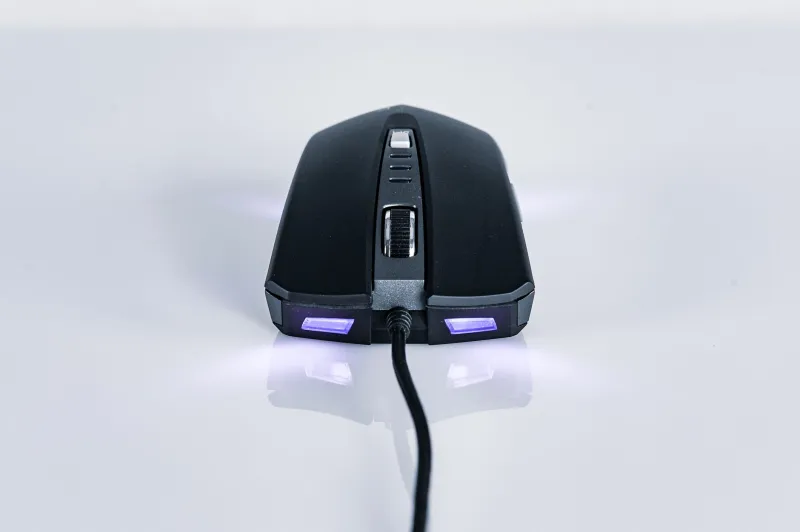
Photo by Photo by Clovis Kurower on Unsplash on Unsplash
Let's talk about the part of your setup that nobody brags about at LAN parties. You've got your sensor specs memorized, you've read every review on your mouse's lift-off distance, maybe you've even argued about polling rates in a Discord server at 2 AM. But when's the last time you actually thought hard about your mousepad?
Probably never. And that's exactly the problem.
The uncomfortable truth is that a worn-out, wrong-sized, or just plain wrong-material mousepad can quietly undo every advantage your expensive hardware is supposed to deliver. Manufacturers aren't exactly rushing to tell you this, either. There's a reason the mouse gets the marketing spotlight while the pad sits in the corner of the product page.
How Optical Sensors Actually "See" Your Surface
To understand why this matters, you need a quick primer on how your mouse's sensor works. Modern optical sensors use an onboard camera that fires thousands of times per second, photographing the surface beneath the mouse and comparing frames to calculate movement. That's how it knows where you're going.
Here's the catch: the sensor needs texture to do that job. It's looking for micro-patterns in the surface—tiny variations in the weave of a cloth pad, the grain of a hard surface, whatever it can find. When that texture is consistent and clearly defined, the sensor tracks accurately and smoothly. When the surface is unpredictable—worn smooth in spots, coated in skin oils, or just the wrong material for the sensor's light wavelength—tracking can stutter, skip, or produce what the industry calls "jitter."
Jitter is the enemy. It shows up as tiny, erratic micro-movements in your cursor that happen even when your hand is completely still. Most people never notice it consciously, but they feel it as inconsistency—that maddening sense that the mouse "doesn't feel right" even after a fresh driver install.
Cloth vs. Hard: The Eternal Debate Has a Real Answer
The mousepad market splits pretty cleanly into two camps: cloth (soft) and hard surface pads. Both have genuine advantages, and the right choice actually depends on how you use your mouse—not just which one looks cooler on a desk.
Cloth pads offer more friction, which gives you natural stopping power. If you're a low-sensitivity player who makes big, sweeping arm movements—common in FPS games or among graphic designers working on large canvases—cloth gives you a tactile brake point that helps with precision stops. The downside is that cloth wears out. The fibers flatten over time, especially in the center and along the edges where your wrist drags. A cloth pad that's six months old in a heavy-use setup is performing measurably worse than it did when it arrived.
Hard pads are faster, more consistent over time, and easier to clean. The rigid surface doesn't degrade the same way cloth does, so what you buy is largely what you get six months later. The trade-off is less friction, which can feel slippery if you're not used to it, and some sensors don't pair as cleanly with certain hard surfaces—particularly older optical sensors that struggle with highly reflective or uniformly patterned hard pads.
The short version: if you're a high-sensitivity user who prefers quick wrist movements, a hard pad probably suits your style. Low-sens arm aimers generally benefit from cloth. Neither is universally better, and anyone who tells you otherwise is selling something.
Size Matters More Than You Think
Here's where a lot of people get it wrong even after they've picked the right material. Pad size is a performance variable, not just a desk aesthetic choice.
If you're playing at low sensitivity—say, 400 DPI with a low in-game multiplier—you're moving your mouse across significant real estate to cover the screen. A standard-sized pad (roughly 12" x 10") might not give you enough room, forcing you to lift and reposition constantly. That lift-and-reposition moment is a dead zone where you're not tracking anything, and if your lift-off distance isn't perfectly calibrated, you might be registering phantom movement during the reset.
Extended pads (sometimes called desk pads) that run 31" or wider solve this by giving you a unified surface across your entire workspace. Beyond the tracking benefits, they also protect your desk, reduce wrist fatigue from hard edges, and keep your keyboard planted consistently. For anyone who games seriously or spends long hours on precision work, the upgrade from a standard to an extended pad is genuinely one of the highest-value changes you can make—often more impactful than going from a mid-range to a premium mouse.
The Wear Pattern Problem Nobody Warns You About
Cloth pads develop wear patterns that mirror your exact movement habits. The center takes the most abuse from general navigation. The bottom edge where your wrist rests gets compressed and slick. The zones where you land after big sweeping movements get flattened into smooth patches that behave differently from the untouched perimeter.
The result is a pad that has multiple distinct "zones" with different friction levels. Your muscle memory is calibrated to your pad, but it's calibrated to an inconsistent surface. This is a slow, invisible process—you don't notice it happening, but over months, your tracking consistency quietly degrades.
A simple test: flip your cloth pad over and glide your mouse across the unused underside (assuming it has a cloth surface on both sides, which some do). If the tracking feels noticeably different—smoother, more consistent—your pad has worn more than you realized.
Most manufacturers recommend replacing cloth pads every six to twelve months under regular use. Almost nobody actually does this.
Why Peripheral Brands Go Quiet on This Topic
Here's the part that should make you a little skeptical. The biggest mouse manufacturers put enormous resources into marketing sensor specs, button actuation forces, and wireless latency. What they don't do is publish pairing guides that say "our mouse performs optimally on these specific pad surfaces" with any real detail.
Some of this is practical—they can't test every pad on the market. But some of it is strategic. Admitting that a $150 mouse's tracking performance is substantially influenced by a $15–$40 accessory that needs regular replacement is an awkward conversation. It shifts the narrative away from "buy better hardware" and toward "maintain your whole system."
A few brands do sell their own mousepads, and some of those are genuinely excellent—tuned to work with their sensors. But even then, the marketing is usually about feel and aesthetics rather than honest technical pairing data.
What You Should Actually Do
Start by honestly assessing your current pad. How old is it? Does it have visible shiny patches or compressed zones? If you're running a cloth pad that's over a year old with daily use, replacement should be on your radar.
Next, match your pad type to your grip and sensitivity style, not your brand loyalty or the color scheme of your desk. If you're unsure, most serious peripheral communities—Reddit's r/MouseReview is a solid starting point—have done extensive testing on specific pad-and-sensor pairings.
Finally, think about size relative to your actual sensitivity settings. Pull up a mouse sensitivity calculator, figure out how many inches of movement it takes to do a 360 in your main game or scroll across your workspace, and make sure your pad has room for that.
Your mouse is only as good as the surface it's reading. The pad isn't a footnote in your setup—it's half the equation. Time to treat it that way.