Same Box, Different Mouse: The Manufacturing Inconsistency Problem Nobody Wants to Talk About
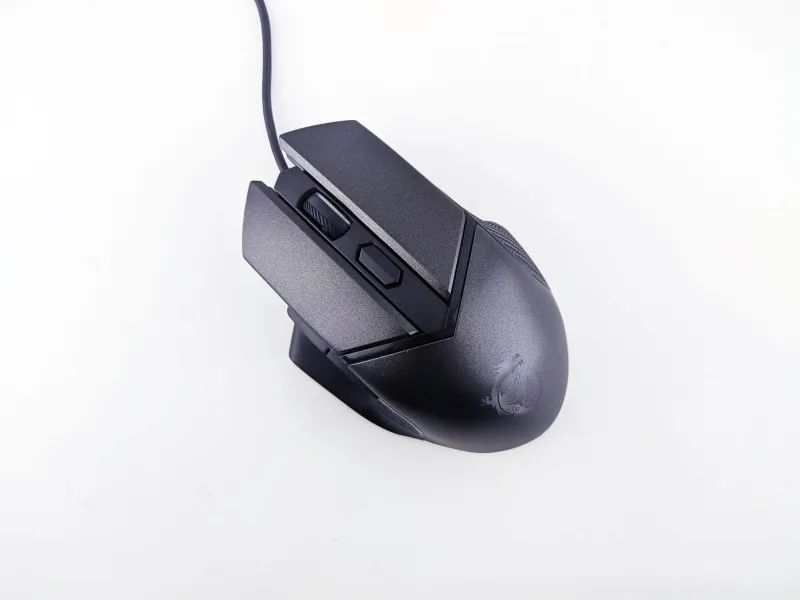
Here's a scenario that's probably more familiar than you'd like: you finally pull the trigger on a mouse that reviewers are raving about. The spec sheet looks perfect. The price stings a little, but you commit. It arrives, you plug it in — and something just feels wrong. Not broken, exactly. Just... not what you expected.
You go back and watch the review again. Same mouse. Same sensor. Same everything on paper. So what gives?
Welcome to the sensor lottery — and the broader world of manufacturing variance in gaming peripherals.
Why "Identical" Mice Aren't Actually Identical
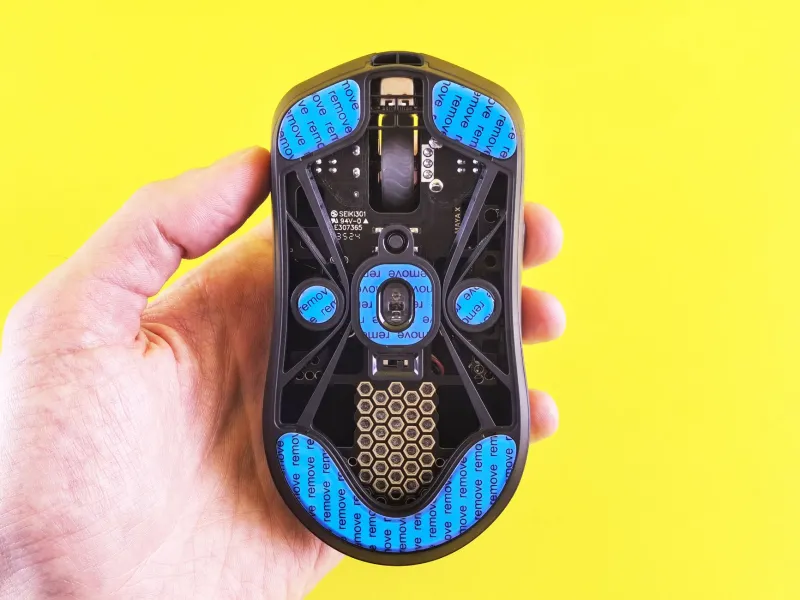
Consumer electronics manufacturing runs on tolerances. A tolerance is basically the acceptable range of deviation a component can have and still be considered within spec. Your mouse's sensor, scroll wheel encoder, main switches, and shell all have tolerances baked into their production.
Under normal circumstances, those tolerances are tight enough that you'd never notice. But gaming mice are precision instruments. We're talking about devices where a fraction of a millimeter in sensor height above the pad, or a slight variation in click actuation force, can translate into a meaningfully different feel during high-stakes play.
Add in the reality that major mouse manufacturers source components from multiple suppliers depending on availability, and that production runs can span months or even years across different factory batches — and suddenly the gap between "same model" and "same mouse" gets pretty wide.
The Sensor Calibration Variable
Sensors are where variance gets especially interesting. Most modern gaming mice use optical sensors from a small handful of chip designers, but the sensor itself is only part of the equation. How the manufacturer calibrates that sensor during production — including lift-off distance tuning, angle snapping behavior, and tracking curve adjustments — can shift between batches without any public announcement.
Some manufacturers push firmware-level calibration changes silently. Others adjust hardware-level settings at the factory. Either way, two mice with identical model numbers and sensor designations can have subtly different tracking behavior depending on when they were made.
This isn't theoretical. It's why you'll occasionally see forum threads where someone insists a mouse "used to track differently" after buying a second unit years later. They're probably right.
How the Pros Actually Handle This
Here's something most casual players don't realize: professional esports athletes — particularly those competing in titles where mouse control is the primary performance variable, like CS2, Valorant, or tactical shooters — routinely test multiple units of the same mouse before locking one in for competition.
Team equipment managers will sometimes purchase three or four copies of the same model and have players evaluate each one blind. The goal is finding the unit that feels most consistent and "right" to that specific player. The rejects get used for practice or handed down to support staff.
It sounds excessive. But when you're competing for prize pools that can hit six or seven figures, a slight variation in click feel or tracking smoothness isn't an abstraction — it's a real variable worth controlling.
What Actually Varies (And What Usually Doesn't)
Not everything is equally susceptible to batch variance. Here's a rough breakdown of what to watch for:
More likely to vary:
- Main switch click feel and actuation force (especially on mice using Omron or Huano switches sourced from different production runs)
- Scroll wheel encoder consistency and step definition
- Sensor lift-off distance and landing behavior
- Shell fit and seam tightness, particularly around the side buttons
- Cable flexibility on wired models (rubber compounds change)
Less likely to vary:
- Overall shell dimensions and weight (within a gram or two)
- Sensor model designation
- Basic DPI step availability
- Feet material (though thickness can drift slightly)
How to Spot a Defective Unit Before Your Return Window Closes
Most retailers — including Amazon, Best Buy, and direct manufacturer stores — give you somewhere between 15 and 30 days to return a peripheral. That window is your best friend. Here's how to use it properly:
Test clicks immediately. Both main buttons should have similar actuation force and a clean, defined break. If one feels mushy, hollow, or significantly lighter than the other, that's a red flag. Pre-travel (movement before the click registers) and post-travel (continued movement after registration) should be minimal and consistent.
Run the sensor through its paces. Use a free tool like MouseTester to log your sensor output while doing deliberate movements. Look for erratic jitter at your normal sensitivity, inconsistent tracking during slow movements, and any signs of smoothing or interpolation you weren't expecting.
Check the scroll wheel. Step through it slowly. Each detent should feel equally defined. A wheel that skips steps, double-scrolls, or feels inconsistent in resistance is a manufacturing defect — not a quirk to live with.
Listen to it. Clicks that sound hollow, rattly, or noticeably different from each other between left and right buttons often indicate a shell fit issue or a switch that's seated incorrectly.
Wiggle the side buttons. More side-button play than you'd expect is a common variance point. Some units are tight; others have noticeable wobble. Neither is necessarily "wrong" by spec, but if it bothers you, that's what returns are for.
The Uncomfortable Truth About Premium Pricing
Here's the part that stings a little: paying more doesn't guarantee tighter tolerances. Some of the most expensive gaming mice on the market come from manufacturers with notoriously inconsistent QC. Meanwhile, a few mid-range brands have developed reputations for remarkable unit-to-unit consistency.
The best signal isn't price — it's community feedback. Subreddits like r/MouseReview and hardware-focused Discord communities often surface batch variance issues within weeks of a major release. If a model has a known QC problem, someone's already written about it.
Doing five minutes of community research before you buy — and another five minutes of testing before your return window closes — is genuinely the best consumer protection available to you right now.
The Bottom Line
Manufacturing variance in gaming mice is real, it's underreported, and it affects players at every level. The good news is that most units are fine. The bad news is that "most" isn't "all," and the gap between a great unit and a mediocre one from the same box can be meaningful if you're serious about your performance.
Treat the return window like the quality control process the manufacturer should have done. Test thoroughly, trust your hands, and don't let the spec sheet convince you that what you're feeling isn't real. Your instincts about a mouse that feels slightly off are usually correct — and you've got time to act on them.